Why TypeScript?
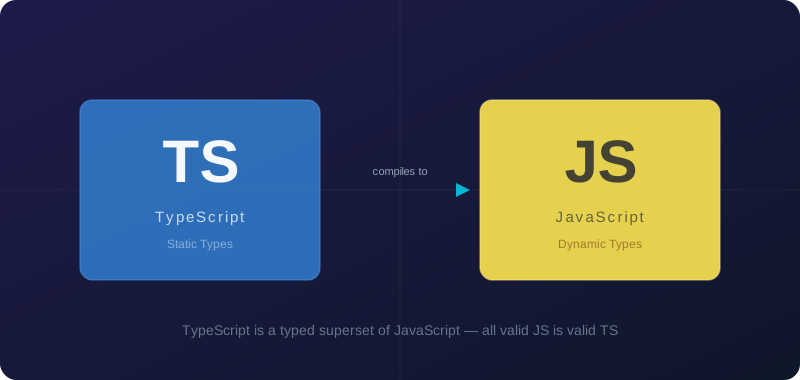
TypeScript is a statically typed superset of JavaScript that compiles to plain JavaScript. Developed and maintained by Microsoft, it has seen explosive growth in adoption because it catches bugs before runtime and makes large codebases far more maintainable.
The main benefits include:
- Type Safety — Catch errors at compile time, not runtime
- Better IDE Support — Autocomplete, refactoring, and inline documentation
- Self-documenting Code — Types serve as living documentation
- Gradual Adoption — Can be added incrementally to existing JS projects
Setting Up TypeScript
Getting started is straightforward. Install it as a dev dependency and initialise the config:
npm install -D typescript
npx tsc --init
This creates a tsconfig.json where you configure compiler options such as strict, target, and module. Enabling strict mode from day one is strongly recommended — it enables the most useful checks.
Basic Types
TypeScript provides several built-in types you will use every day:
// Primitive types
let name: string = "Alice";
let age: number = 30;
let isActive: boolean = true;

// Arrays
let numbers: number[] = [1, 2, 3];
let names: Array<string> = ["Alice", "Bob"];

// Objects / Interfaces
interface User {
  id: number;
  name: string;
  email: string;
  createdAt: Date;
}

// Functions
function greet(name: string): string {
  return `Hello, ${name}!`;
}

// Union types
type ID = string | number;

// Generics
function identity<T>(arg: T): T {
  return arg;
}
Advanced Features
Once comfortable with the basics, TypeScript offers powerful features like mapped types, conditional types, and template literal types.
// Mapped types — create new types from existing ones
type Readonly<T> = {
  readonly [P in keyof T]: T[P];
};

// Conditional types — types that depend on other types
type NonNullable<T> = T extends null | undefined ? never : T;

// Template literal types
type EventName = `on${Capitalize<string>}`;

// Utility types (built-in)
type PartialUser = Partial<User>; // all fields optional
type RequiredUser = Required<User>; // all fields required
type UserEmail = Pick<User, "email">; // only 'email' field
Working with unknown vs any
The unknown type is any's safer sibling. Use it when you don't know the type yet but still want type safety later:
// Avoid this — it opts out of all type checking
function processAny(value: any) {
  value.foo.bar; // no error, but may crash at runtime
}

// Prefer this — forces you to narrow the type before use
function processUnknown(value: unknown) {
  if (typeof value === "string") {
    console.log(value.toUpperCase()); // safe!
  }
}
Conclusion
TypeScript is an investment that pays dividends. The initial learning curve is worth it for fewer runtime bugs, a better developer experience, and a more maintainable codebase. Start with a small project and gradually add TypeScript to your workflow — your future self will thank you.